
These guys. How do you edit these guys? It’s nice and easy to edit a homepage widget, read on.

- Log in to the Admin
- Go to the homepage
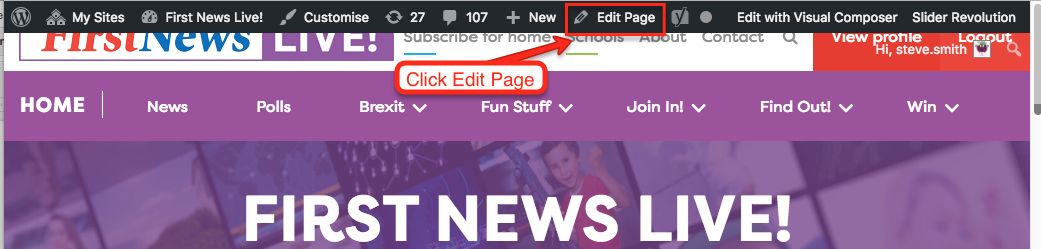
- Click Edit Page
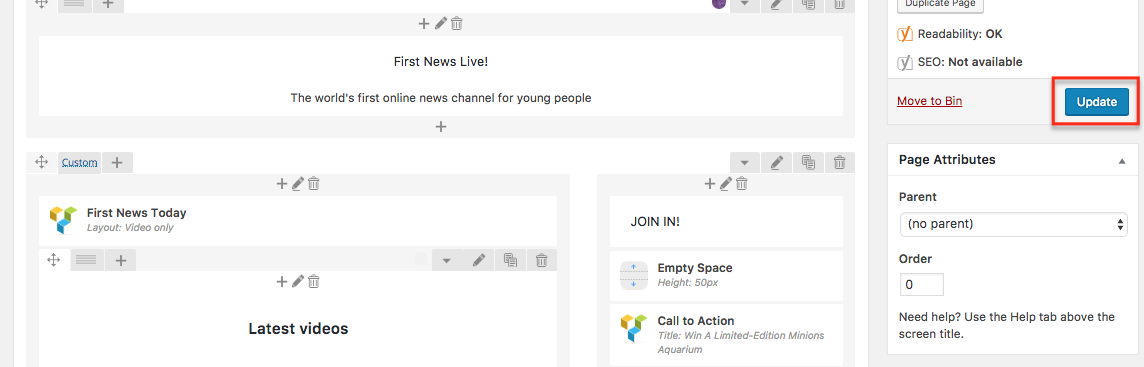
- You should see the Admin view below. If not, click Backend Editor

- The modules in the right hand column of the homepage are highlighted below in red
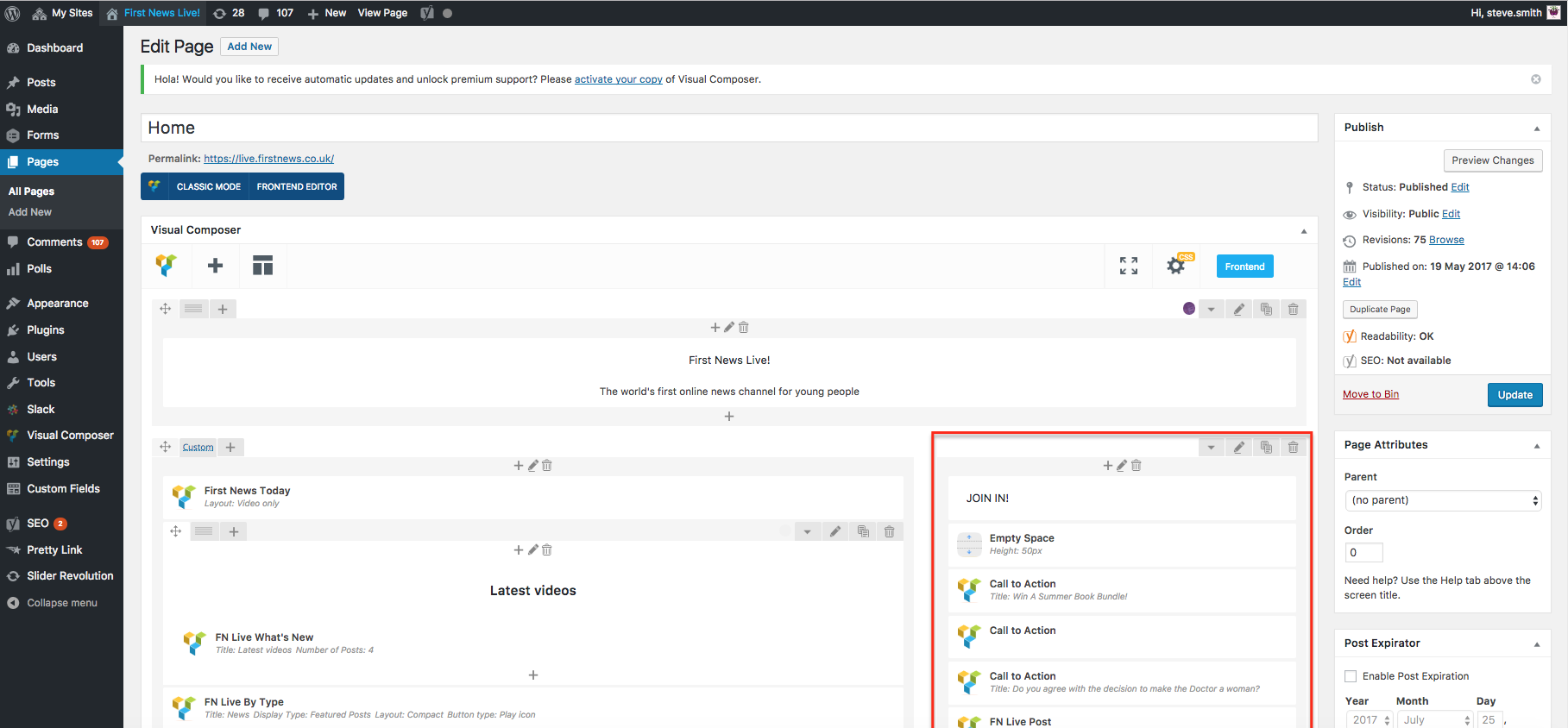
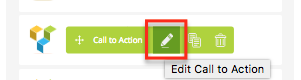
- Hover your mouse over the one you want to change and click the green pencil icon to edit it
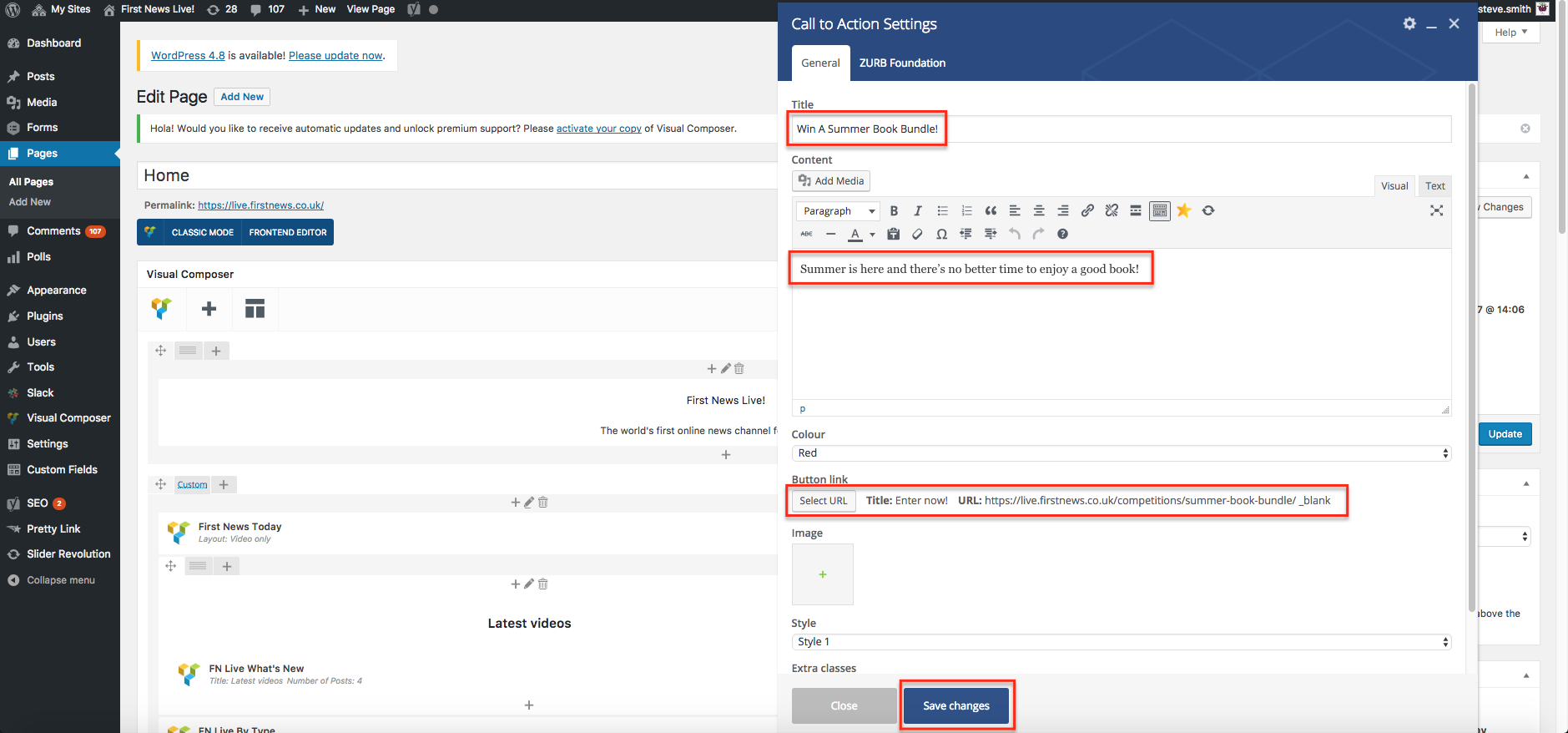
- Edit the Title, Content plus the Button Link Title and URL.
- Click Save changes
- Click Update to update the homepage
- Check the homepage
That’s it for editing a homepage module for the mo